beiming
 菜就多练
2024年12月02日 11:12
本篇文章暂无摘要~
前情提要: 群晖自从DSM7开始,更新机制变更为:系统更新和套件更新分开进行
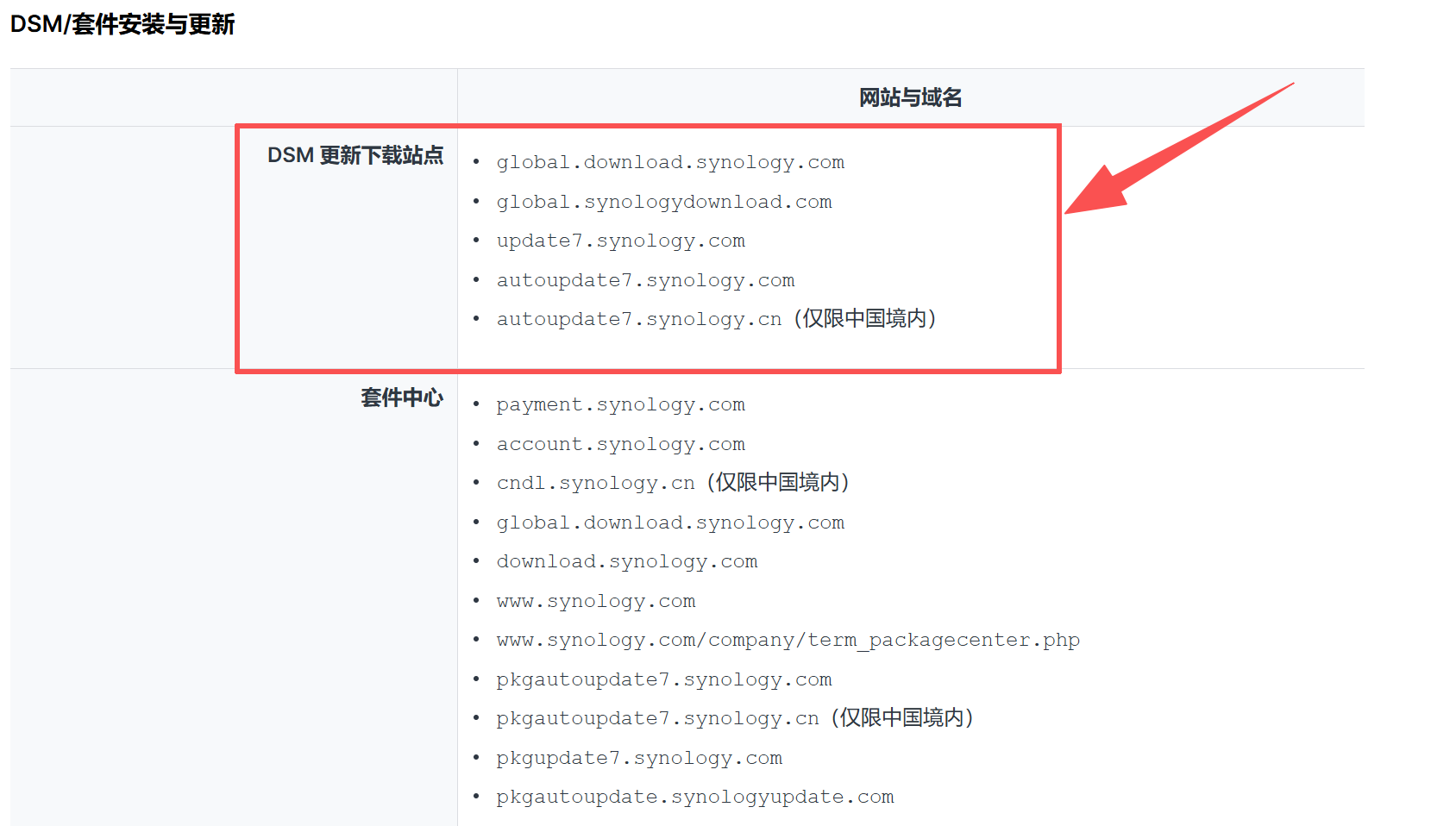
由于黑群晖的特殊性,系统更新往往会导致无法启动等问题,因此需要屏蔽系统更新,但又希望能够正常更新套件
步骤:
在hosts文件的末尾添加以下几行内容:
127.0.0.1 global.download.synology.com
127.0.0.1 global.synologydownload.com
127.0.0.1 update.synology.com
127.0.0.1 update7.synology.com
127.0.0.1 autoupdate.synology.com
127.0.0.1 autoupdate7.synology.com
127.0.0.1 autoupdate7.synology.cn步骤:
原部分配置
printer_driver_host="https://global.download.synology.com/airprint/DSM7.3/latest"
rss_server="http://update7.synology.com/autoupdate/genRSS.php"
rss_server_ssl="https://update7.synology.com/autoupdate/genRSS.php"
rss_server_v2="https://update7.synology.com/autoupdate/v2/getList"
security_version_server="https://update7.synology.com/securityVersion"
small_info_path="https://update7.synology.com/smallupdate"
update_server="http://update7.synology.com/"
update_server_ssl="https://update7.synology.com/"
更改为
printer_driver_host="https://globewwwereral.download.synwrology.com/airprint/DSM7.3/latest"
rss_server="http://updawerte7.sywernology.com/autoupdate/genRSS.php"
rss_server_ssl="https://updawerte7.synologwry.com/autoupdate/genRSS.php"
rss_server_v2="https://updawerte7.synolwreogy.com/autoupdate/v2/getList"
security_version_server="https://updawerte7.synology.com/securityVersion"
small_info_path="https://updawerte7.synowerlogy.com/smallupdate"
update_server="http://updatwere7.synolwerogy.com/"
update_server_ssl="https://updwerate7.sywernology.com/"参考:1.https://www.cnblogs.com/djd66/p/17589924.html
2.https://archive.synology.com/download/